
🏢 Business Account
A TaxStreem Business Account is Required for Integration.
To use the TaxStreem API—whether for internal automation or to build features for external users—a TaxStreem business account is required. This account gives access to API keys and developer tools, depending on your use case.
🔑 Getting Access to API Keys
To begin making API calls:
Create a TaxStreem Business Account
Sign up at 👉 partner-portal.taxstreem.com
Retrieve Your API Key
Once your business account is created, navigate to the API Keys section on the TaxStreem Partner Dashboard to access your public and secret API keys.
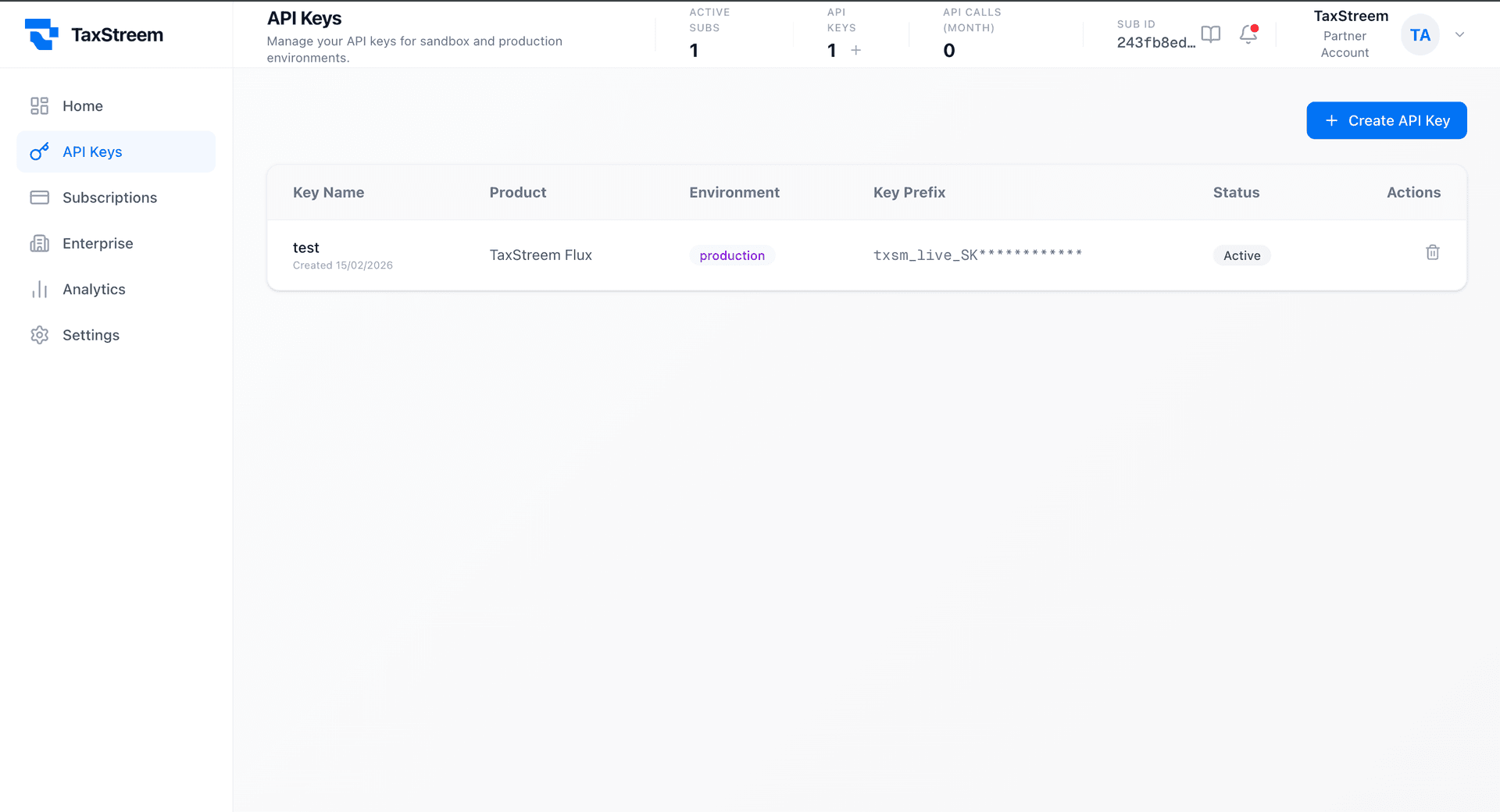
Use Your API Key
This key must be included in the x-api-key header of every request to authenticate your API calls.
🔁 OAuth-Based Integrations
If you're building a platform that connects multiple TaxStreem users, use OAuth to authorize and access data on their behalf.
- As a partner platform, use your business API key to initiate the OAuth flow.
- After the user grants access, your platform receives a user-specific access token.
🧪 Request Access to Sandbox Environment
Need a test environment? For development purposes, request access to our sandbox by emailing:
Subject: Request for test account for development
🚀 Ready to Build?
With your business account and API key in hand, you're ready to start integrating TaxStreem.
Explore Flux API